Download Butcher Hero
Get Butcher Hero free through Google Play or the App Store. The official listings cover Android, iPhone and iPad, while Google Play also lists Windows. Single-player offline access is supported, and Profile offers Cloud Saves for progress you want to keep across devices.
Official Stores and Requirements
The full store title is Butcher Hero: Monster Idle RPG. Use Google Play for Android or the App Store for iPhone and iPad. Both destinations identify the developer and show the installation option for the device and account you use.
The table keeps the listings separate. Google Play shows a header review total and a different total in its phone section; both appear with their labels. App Store counts are ratings. Read these as store snapshots, since the totals and displayed download details can change as people rate the game and updates arrive.
| Store | Detail | Listed information |
|---|---|---|
| Google Play | Store name | Butcher Hero: Monster Idle RPG |
| App Store | Store name | Butcher Hero: Monster Idle RPG |
| Google Play | Developer | MULTICAST GAMES |
| App Store | Developer | MULTICAST GAMES LIMITED |
| Google Play | Price | Free with in-app purchases |
| App Store | Price | Free with in-app purchases |
| Google Play | Rating | 4.0 |
| App Store | Rating | 4.7 |
| Google Play | Reviews or ratings | 99,800 reviews in the header; 97,700 in the phone section |
| App Store | Reviews or ratings | 8,300 ratings |
| Google Play | Age rating | Everyone 10+ |
| App Store | Age rating | 13+ |
| Google Play | Listed platforms | Android, Windows |
| App Store | Listed platforms | iPhone and iPad |
| Google Play | Latest listed release | 2.1 |
| App Store | Latest listed release | 2.1.0 |
| Google Play | Update date | 2026-10-23 |
| App Store | Update date | 2026-10-26 |
| App Store | Download size | 258 MB |
| App Store | Minimum system | iOS 15.0 or iPadOS 15.0 |
Windows Access Through Google Play
For a PC, start from the official Google Play listing. Check its Windows option on the computer itself and follow the installation choices the store presents. The listed platform is Windows, and the accompanying wording is Powered by Intel technology.
Keep the store identity in view when searching from a browser. The name Monster Idle RPG and the developer MULTICAST GAMES help you recognize the listing. Use the store's device information to assess installation, then use the beginner walkthrough when you reach the opening island. That guide covers the first gameplay decisions after setup.
First Launch Gameplay Preview
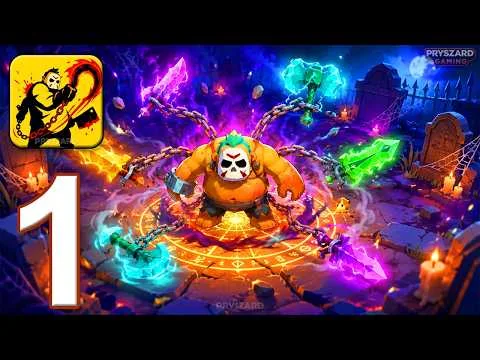
"Butcher Hero gameplay from the first launch: hooking and eating enemies on Meadowlands" shows the opening gameplay, including the chain hook and the enemies encountered on Meadowlands. It gives you a look at movement through the island and the hook and consume action before you spend time learning equipment or longer progression goals.
Offline Access and Connection Messages
The game supports the complete single-player experience offline, and its connection screen includes Play Offline. That makes the button useful when you want to continue without an internet connection. Offline access and cloud storage serve different purposes: continuing a session does not replace signing in for Cloud Saves.
Lose the signal mid-run and you keep playing in Limited Mode. To regain Full Access, restore the internet connection. Follow those named messages when deciding what to do next. For other error screens, consult the troubleshooting FAQ; for changes in a new release, check the update history.
Cloud Saves and Phone Transfers
Open Profile and use Google Play Games or Game Center to sign in for Cloud Saves. Do this on the device that holds the progress you intend to keep. When moving to another phone, read any save selection message carefully: the game asks which progress to retain, and the other save is permanently replaced.
The Cross-Platform Password is required for transferring an account to another device. It gives full access to the account. Save it when it appears, because the game shows it only once. A new password cancels the old one, so do not create another until the move is done, and keep it to yourself.
If a different cloud save exists and the game asks for a restart, restart to choose the save to keep. If Cloud Saves are disabled because another device ran a newer version, update the older installation. These messages give distinct actions; read the wording before choosing progress or repeating a transfer.
Questions Before You Install
Do I need to pay before starting?
The download is free on Google Play and the App Store, and both listings include in-app purchases. Installing the game does not require buying a Gem pack or a paid offer first. Review the shop separately from the download decision, especially if a child uses the same device or payment account.
Which name should I search for in the store?
Look for Butcher Hero: Monster Idle RPG. Check the developer alongside the title: Google Play displays MULTICAST GAMES, and the App Store lists MULTICAST GAMES LIMITED. The official store buttons here lead to the matching listings, which also show the device compatibility and current installation action for your account.
Can I use a Windows PC?
Google Play lists Windows alongside Android and shows Powered by Intel technology. Open that official listing from the computer you want to use and follow the availability shown there. This is the Windows option advertised by the store, so begin with its own installation flow and compatibility information.
What if my phone shows a cloud version warning?
When another device has used a newer game version, the game disables Cloud Saves on the older version and asks you to update. Install the available update on that device before continuing with cloud progress. If the message remains, use the support contact shown on the official store listing and describe the warning.
Plan Your First Session
Check the code redemption page for another in-game starting task, and read the parents guide to spending and ads before giving a child access to the shop.