
Butcher Hero Parents Guide
Butcher Hero combines cartoon monster combat with optional reward ads and paid shop offers. Google Play rates it Everyone 10+; the App Store rates it 13+. Review the violence, purchase controls and public leaderboard profile before deciding how your child should use it.
Age Labels and Combat Content
The stores apply different age labels. Read the descriptors alongside the age, because they explain what each listing flags. An age label is useful context for a family decision; watching an actual encounter helps you judge how a child responds to the hook and consume theme.
| Store | Age label | Content descriptors |
|---|---|---|
| Google Play | Everyone 10+ | Fantasy Violence |
| App Store | 13+ | Frequent Cartoon or Fantasy Violence; Infrequent Horror/Fear Themes; Advertising |
The hero fights cartoon monsters, hooks them toward himself and eats them to gain permanent power. That consuming action is part of the central gameplay loop. The App Store also flags horror and fear themes. If those ideas bother your child, preview the action together instead of relying on the bright island colors alone.
Paid Offers and US Prices
The US App Store displays purchases from $1.99 to $99.99. Here are some of the offers and their prices. Use the payment screen to review the amount before approving any purchase, since a family budget needs to account for the real-money cost.
| Purchase name | US displayed price |
|---|---|
| Big Gems Pack | $9.99 |
| Huge Gems Pack | $19.99 |
| Medium Gems Pack | $4.99 |
| Small Gems Pack | $1.99 |
| Small Event Booster | $2.99 |
| Giant Gems Pack | $44.99 |
| Big Event Booster | $24.99 |
| No ads | $29.00 |
| Ultimate Gems Pack | $99.99 |
| Chaotic Soul | $29.99 |
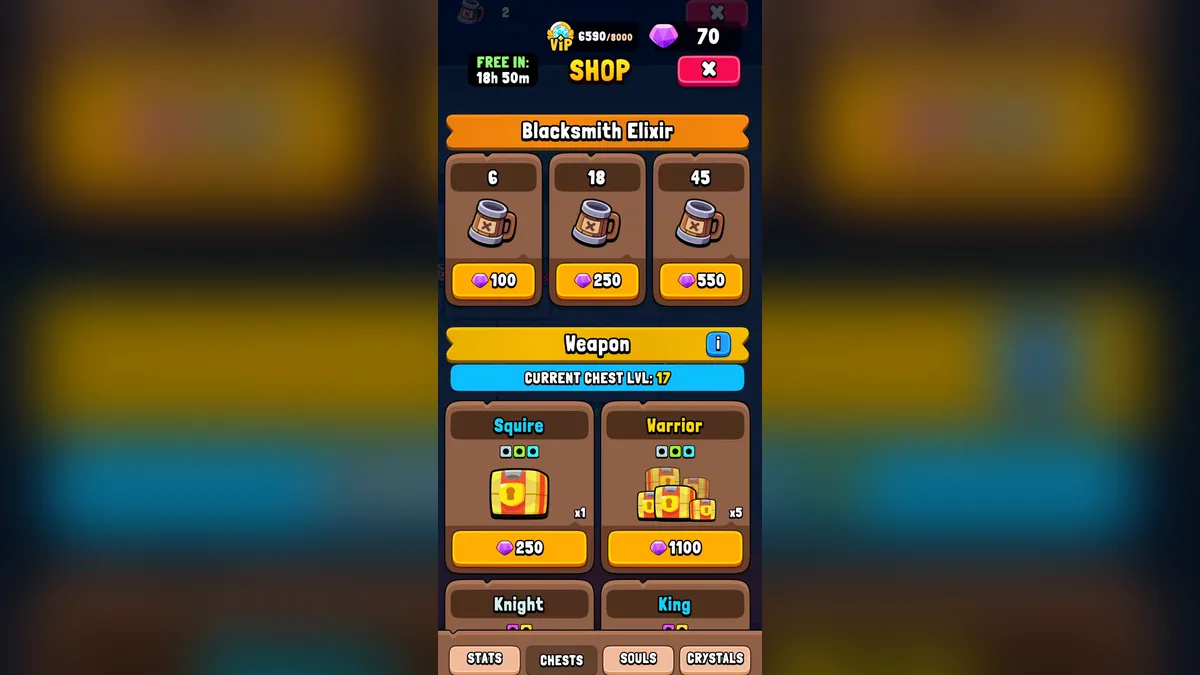
Gems also appear as a currency inside the game. The shop window at the top of this page shows shop chests and Blacksmith Elixir packs priced in Gems, which is different from the dollar prices in this table. Explain both displays to a child so that a large currency balance does not become an invitation to approve a new cash purchase.
The Gem earning and spending guide describes that currency, and the VIP privileges page explains purchase points and their benefits. Neither an attractive item picture nor a VIP reward changes the amount shown at checkout. Make the spending decision before a limited activity or desired item becomes the focus of the session.
Reward Ads and Removal
The release notes describe ads as optional and rewarded. A later release note says the banner was removed. These details describe different ad formats: a reward offer gives a reason to choose an ad, while a banner occupies screen space. Discuss reward offers with your child even if the regular game view has no banner.
The No Ads purchase description says it removes all ads, and its US App Store price is $29.00. Read that specific offer before buying it. A family can also set a rule about accepting reward ads without approving a removal purchase. For questions about ad behavior or purchases, use the help and troubleshooting answers.
Shop and Reward Screen Preview
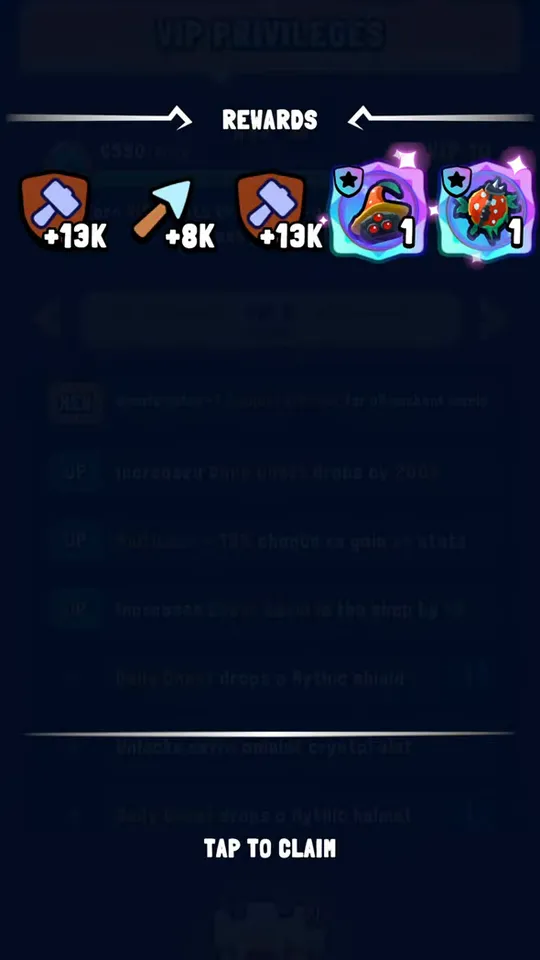
The video "Butcher Hero shop, VIP window and daily chest: what the in-game purchases look like" lets you inspect the purchase windows and rewards that a child may encounter in the game. Pause at an offer and discuss the currency, displayed benefit and purchase decision. That makes the conversation concrete before your child reaches the same kind of screen alone.
Privacy Details and Shared Rankings
Google Play's Data safety section is a developer declaration. It states No data collected and separately lists categories shared with third parties. Those categories include User IDs, purchase history, device or other IDs, crash logs, diagnostics, other app performance data and approximate location. Read both parts when reviewing the listing.
The same section says data is encrypted in transit and that deletion requests are available. Those statements describe the declared handling of data. They are separate from device purchase permissions, so reviewing privacy details does not replace setting a payment rule or checking the account used for purchases.
Events include Local and Global leaderboards with scores from real players. The selected avatar is visible to others there, and the profile has a name. Choose those details with public display in mind. The event scoring guide explains the competitive activity if your child wants to join a ranking.
Purchase Controls on Each Platform
On iPhone or iPad, Apple Screen Time can block purchases. Make the change on the child's device and review the final selection before returning to the game.
- Enable Screen Time in Settings.
- Open Screen Time, then Apps & Websites.
- Select App Store.
- Open In-app Purchases and choose Blocked.
On Android, enable Google Play purchase verification to help prevent unauthorized purchases. Open the purchase verification settings for the account used on the device, enable verification and review the selected option. The settings vary by region and device, so follow the wording offered on that phone rather than assuming every menu has the same labels.
Family Review Before Starting
- Watch the hero hook and consume a monster, then ask how the scene feels.
- Agree on a rule for rewarded ads and separate it from permission to spend.
- Inspect the cash prices and the Gem costs shown in the shop.
- Apply the device's purchase controls and review the leaderboard name and avatar.
Common Family Purchase Questions
Is the free download a spending limit?
No. Free installation still gives access to a game with in-app purchases, including Gem packs, event boosters and No Ads. Set a purchase rule before handing over the device. Device controls and account verification are the practical tools for requiring adult involvement when a child reaches a real-money offer.
Does a Gem price mean a cash charge?
A shop cost shown in Gems uses the game currency, while a store purchase shows a real-money price. Explain that distinction using the shop screen before approving an offer. A child may see both kinds of spending during the same session, so look at the payment confirmation rather than the item picture alone.
Can other people see a selected avatar?
Yes. The selected profile avatar appears to other players on event leaderboards. Local and Global rankings compare scores with real people. Review the profile name and portrait together before a child joins that activity, and explain that the leaderboard is a shared display rather than a private character selection screen.
Is No Ads the same purchase as VIP?
No Ads is a named offer whose description promises ad removal. VIP has its own privileges and progression through purchase points. Read each offer on its own terms before approving payment, and choose based on the feature you intend to buy. A purchase label should be checked separately from other shop benefits.
Before the First Download
Use the official installation links once the family rules and device settings are ready. Return to the VIP benefit tables if a specific paid feature needs a closer look.